The Mystery of the Mac
with Limited Function
Outcome
User received an immediate working solution (Firefox ESR) and two clear long-term paths — OpenCore Legacy Patcher to extend the machine's life, or planned replacement — with honest tradeoffs laid out for each.
The Problem
A complaint about functionality with a Mac computer was brought to my attention when a user said she was unable to connect to some sites on the internet. Through a series of questions I learned the computer had come from a restaurant in Chicago that had since been shut down — obtained through a friend.
Before starting, I confirmed the Mac had been wiped and that it was legitimately obtained — not improperly taken from the prior business.
My initial thought went to security software — a firewall that may not have been fully disabled. However, research quickly confirmed that macOS's built-in firewall generally blocks inbound traffic, not outbound. That shifted the focus elsewhere.
Diagnostic Hypothesis
After ruling out the firewall, I shifted focus to the kinds of restrictions a commercial environment is most likely to leave behind:
Configuration Profiles
MDM software like Jamf or Mosyle pushes profiles that survive a basic wipe.
Hosts File Modifications
Domains can be silently redirected or blocked by editing /etc/hosts.
Custom DNS Servers
Content filtering via Cisco Umbrella or OpenDNS — common in restaurants and retail.
Proxy Settings
Web and secure web proxies can route or block traffic at the network level.
Launch Daemons / Agents
Third-party filtering software installed to run at system startup.
Packet Filter Rules
Custom pfctl rules could restrict outbound traffic beyond Apple defaults.
Working Through the Terminal
I opened Terminal and worked through a systematic series of diagnostic commands, documenting each result before moving to the next hypothesis.
Step 01 — MDM Profiles
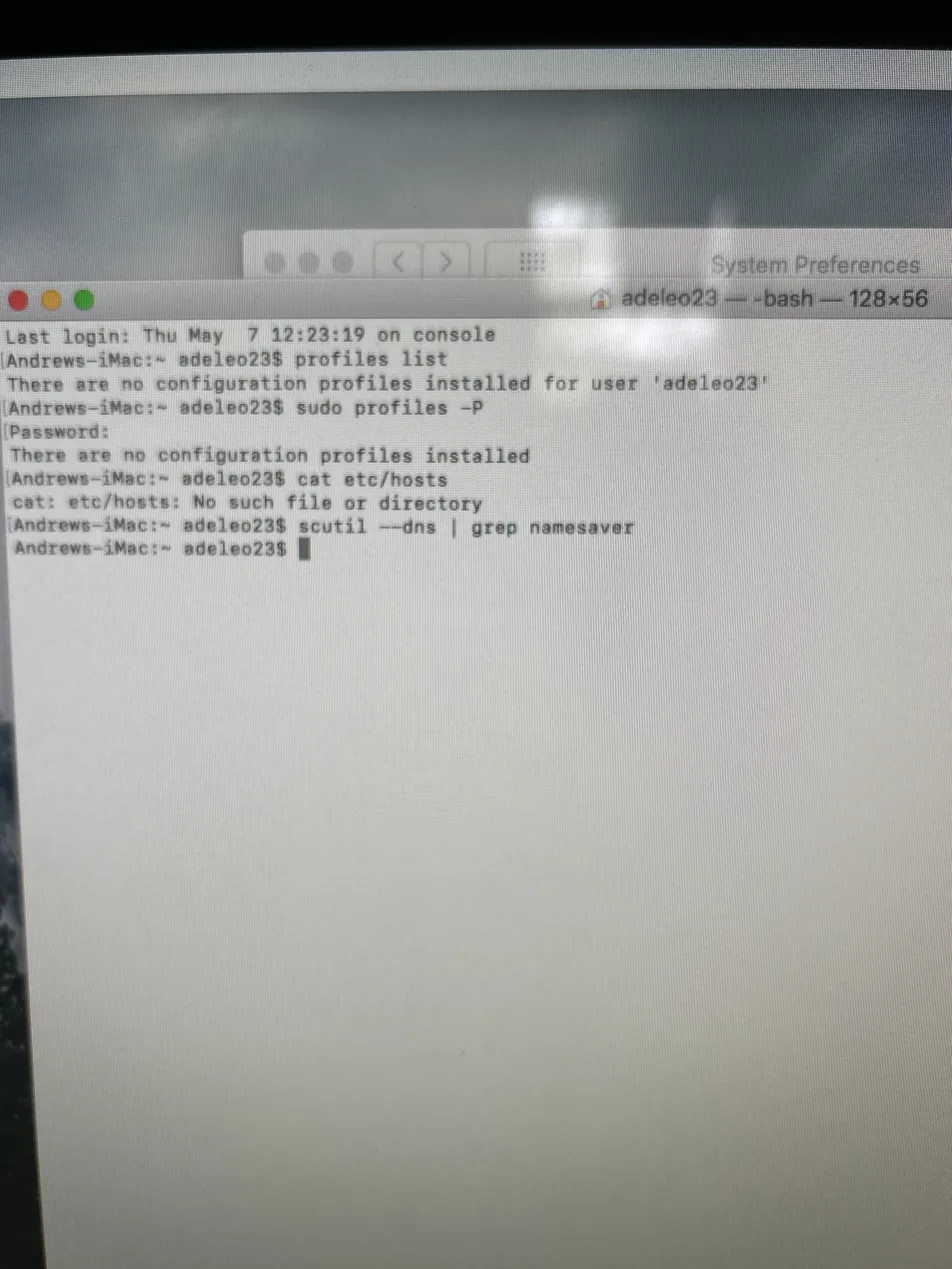
$ profiles list
There are no configuration profiles installed for user
$ sudo profiles -P
There are no configuration profiles installed
Both commands returned empty — confirming no MDM or profile-based restrictions remained on the machine.
Step 02 — Hosts File & DNS
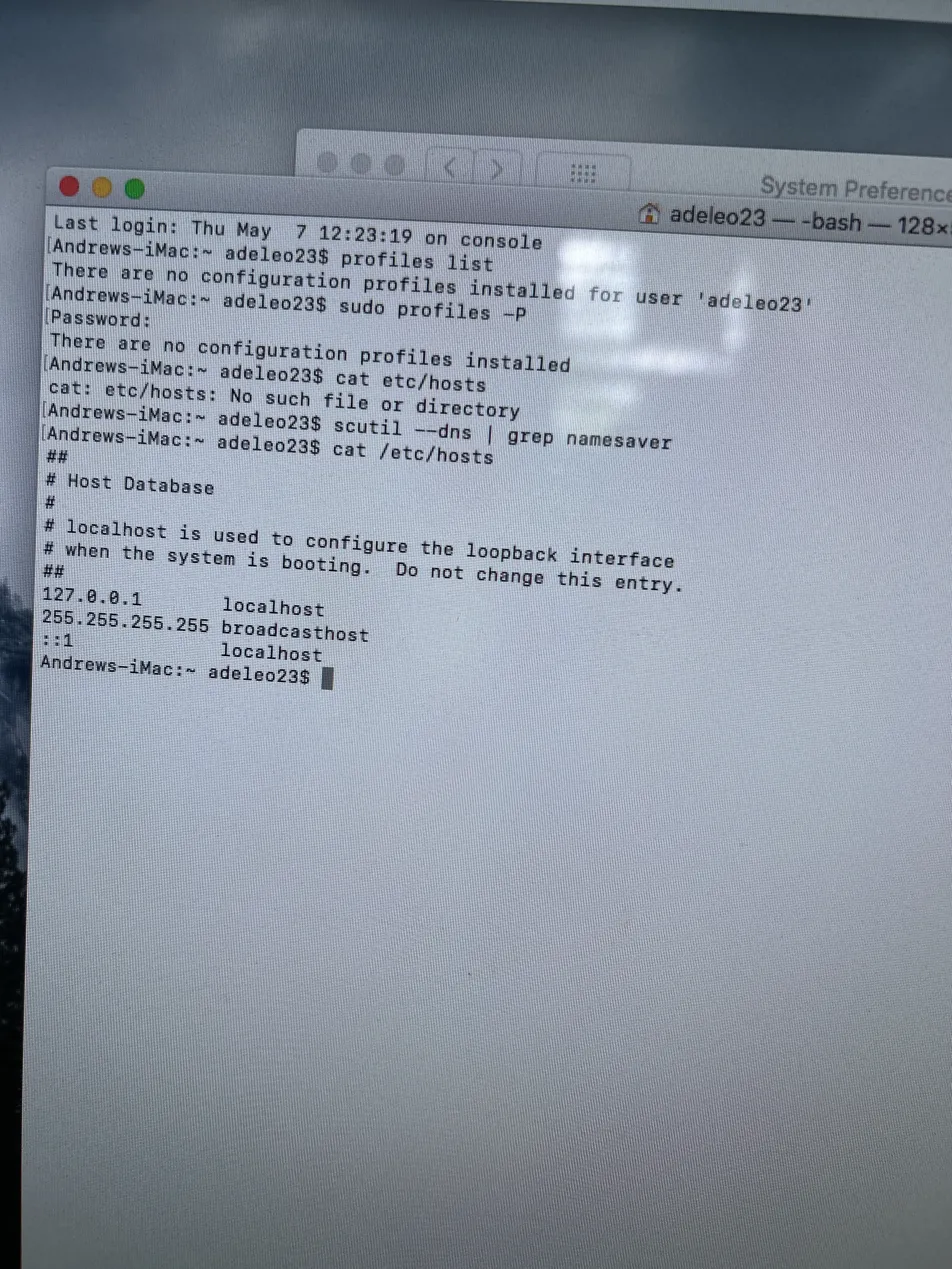
$ cat /etc/hosts
127.0.0.1 localhost
255.255.255.255 broadcasthost
$ scutil --dns | grep nameserver
nameserver[0] : 192.168.1.1
The hosts file contained only default localhost entries. DNS returned only 192.168.1.1 — the user's own router — meaning no content-filtering DNS like Cisco Umbrella or OpenDNS was in play.
Step 03 — Daemons, Agents & Proxy
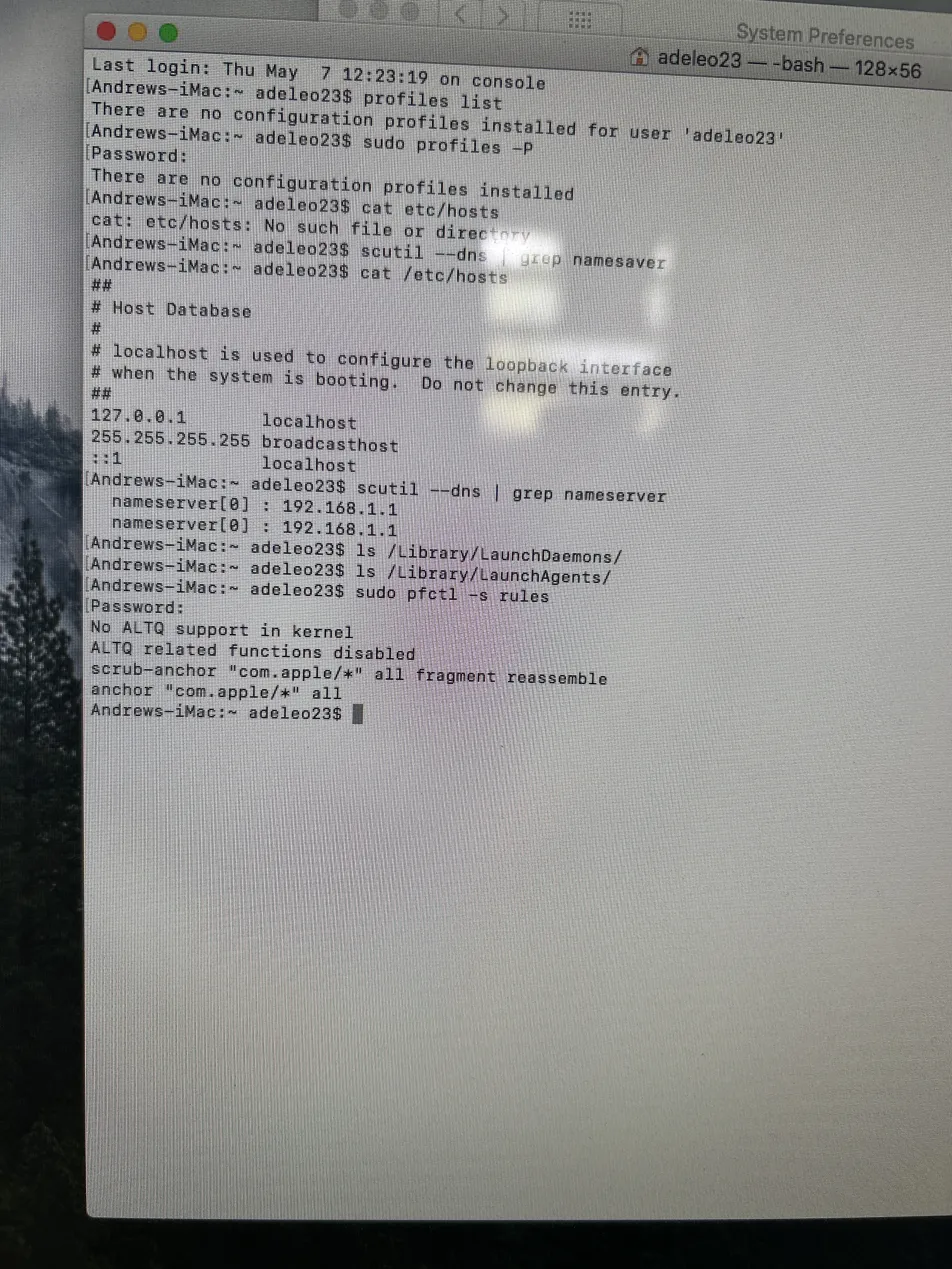
$ ls /Library/LaunchDaemons
(empty)
$ ls /Library/LaunchAgents
(empty)
$ sudo pfctl -s rules
anchor "com.apple/*" all
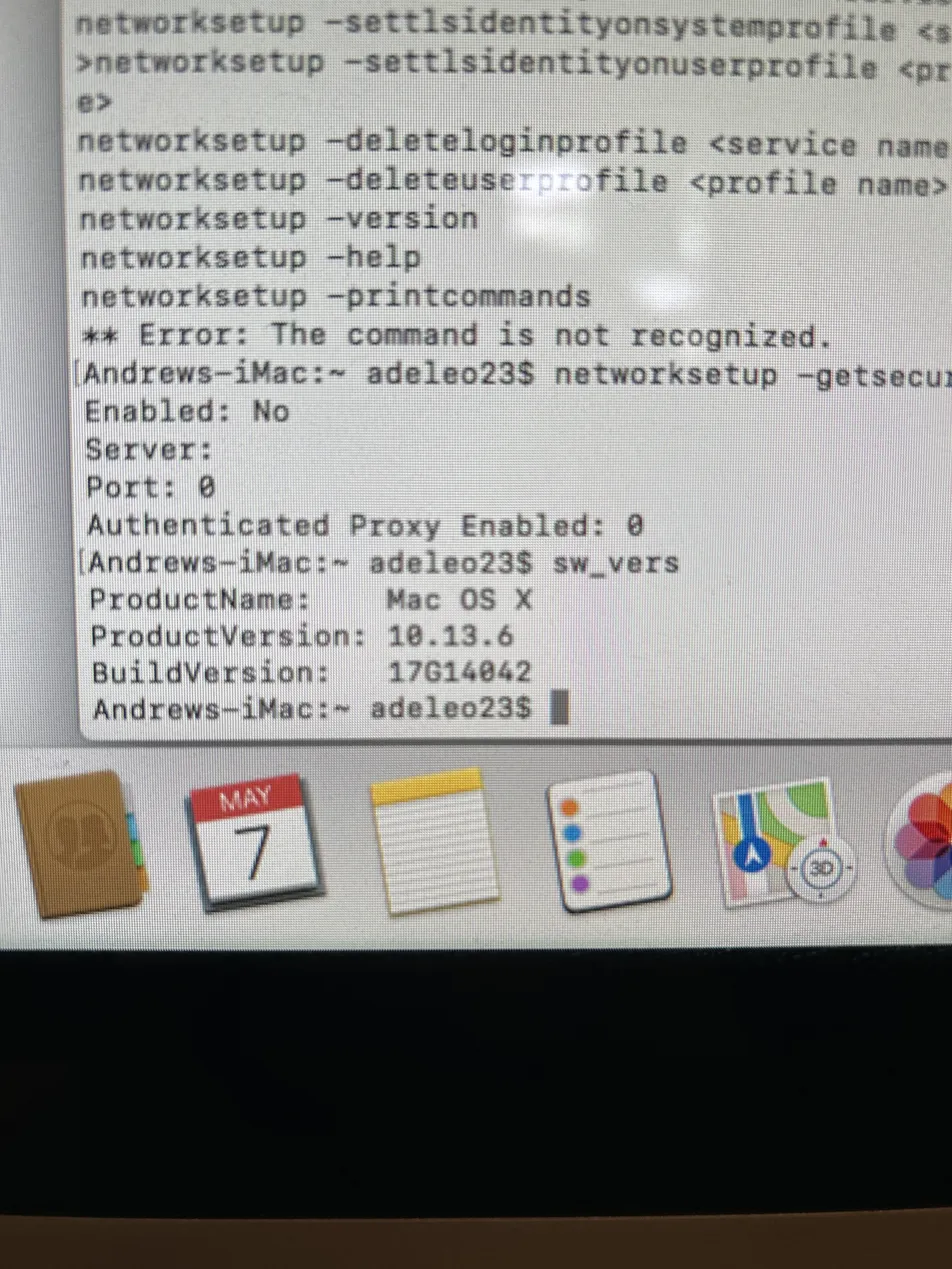
No third-party daemons or agents were installed. Packet filter rules showed only default Apple anchors — no custom outbound blocks. Web proxy and secure web proxy were both confirmed disabled via networksetup.
The Discovery
With the Mac itself ruled out as the source of the restriction, and the site still failing on a separate network (my phone's hotspot), I shifted attention to the machine's age and software environment.
2011 iMac · macOS 10.13.6 High Sierra
Apple stopped releasing security updates for High Sierra in 2020.
An outdated OS means an outdated TLS stack, outdated certificate roots, and outdated browser engine support. Modern websites that enforce newer security standards will simply refuse to load — not because of any restriction left by the restaurant, but because the machine can no longer speak the modern web's language.
Resolution
Immediate Fix
Firefox ESR
Extended Support Release — used in enterprise environments for longer browser support cycles. Gave the user immediate access to the sites she needed.
Support ends August 2026
Long-Term Option A
OpenCore Legacy Patcher
OCLP allows unsupported Macs to run macOS Sonoma, restoring full Safari compatibility and modern web support for several more years.
More setup work · older hardware constraints
Long-Term Option B
Hardware Replacement
A 2011 iMac has less RAM than modern machines require. At some point, replacement becomes more cost-effective than continued support.
Highest cost · cleanest outcome
Key Takeaway
The restriction wasn't a leftover from the restaurant — it was the age of the machine itself. By systematically ruling out every commercial environment artifact first, I was able to confidently pivot to the OS-level diagnosis and give the user a clear, honest picture of her options rather than a vague "it's old, get a new one."
Need help with a tech problem?
Let's figure it out together.